AI engineering
Before I accept an AI agent’s changes
Checking what my website build would publish, and how I tested an AI agent’s release check.
The takeaway
Choose one failure the change must reject, demonstrate that rejection, and attach the result to the version being released.

A successful build left a question
While building this website with AI coding agents, I needed to keep drafts, build scripts and agent instructions private. The finished pages belonged in a public repository. The source belonged in a separate private one.
A successful build could still copy an unwanted file into the public output. Looking at the website in a browser would tell me whether the pages looked right. It would leave a stray notes file sitting alongside those pages unseen.
Agents helped implement the publishing checks. Before accepting that work, I wanted to see what happened when the output contained something that had no reason to go live.
An approved list gave me something to compare
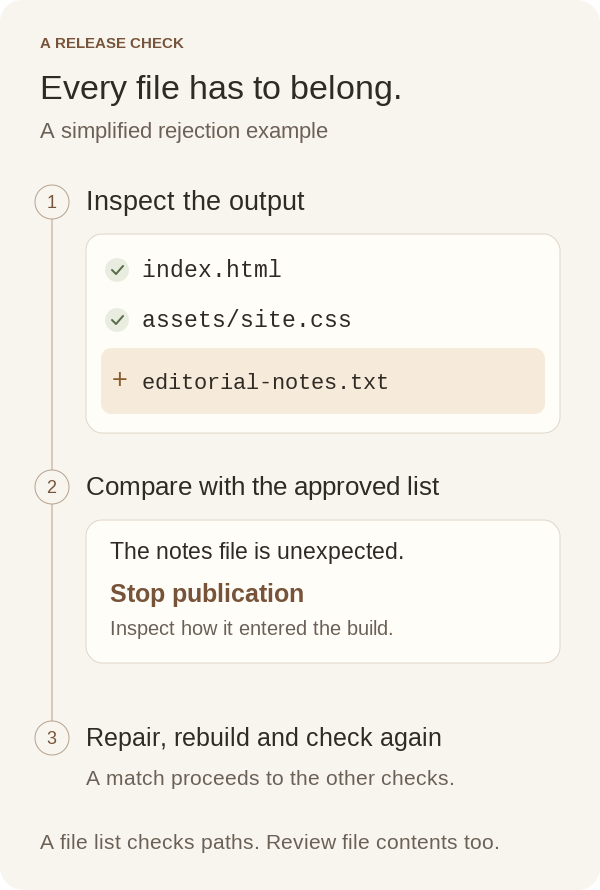
The build writes the public website into its own output directory. The checker walks that directory, lists every file and compares the result with the files approved for release. An unexpected file or a missing one stops the check.
The complete inventory matters. A list of forbidden names only covers names someone has thought of. A new notes file could have any name. And a check that only visits the approved files would never discover an extra one.
This small JavaScript example shows the comparison with invented filenames. The real checker also handles symbolic links and other release checks.
const approved = new Set(['index.html', 'assets/site.css']);
const actual = ['index.html', 'assets/site.css', 'notes.txt'];

const unexpected = actual.filter(file => !approved.has(file));
const missing = [...approved].filter(file => !actual.includes(file));

if (unexpected.length || missing.length) {
  throw new Error('Output differs from approved file list');
}
I added a file that should be rejected
For this article, I copied the current build into a temporary directory and checked the clean copy. Then I added a harmless file called editorial-notes.txt at its root and ran the same checker again.
I put it outside the reserved private folders so the test would reach the approved-list comparison. Otherwise a separate private-folder rule might reject it first, leaving the comparison untested.
The clean copy passed. The copy containing the extra file failed. These were the recorded results.
Clean output accepted
Deploy artifact differs from positive allowlist
What that result established
The check rejected the extra file in that temporary copy. That gave me evidence about the behaviour I had asked the agents to implement.
The short JavaScript example reaches the same kind of failure because notes.txt appears in actual but not in approved. Remove that extra filename and both lists match. The code teaches the comparison. The temporary-directory check exercised the website’s actual checker.
If a checker accepted the unwanted file, I would look at how it collected the inventory and whether a mismatch stopped publication. If the checker rejected it but the build kept copying it, the copy step would need fixing. Adding the file to the approved list just to get a pass would hide the problem.
The approved list still needs maintenance. When I deliberately add a public page or image, I update it as part of reviewing what will become public.
The result has to follow the release
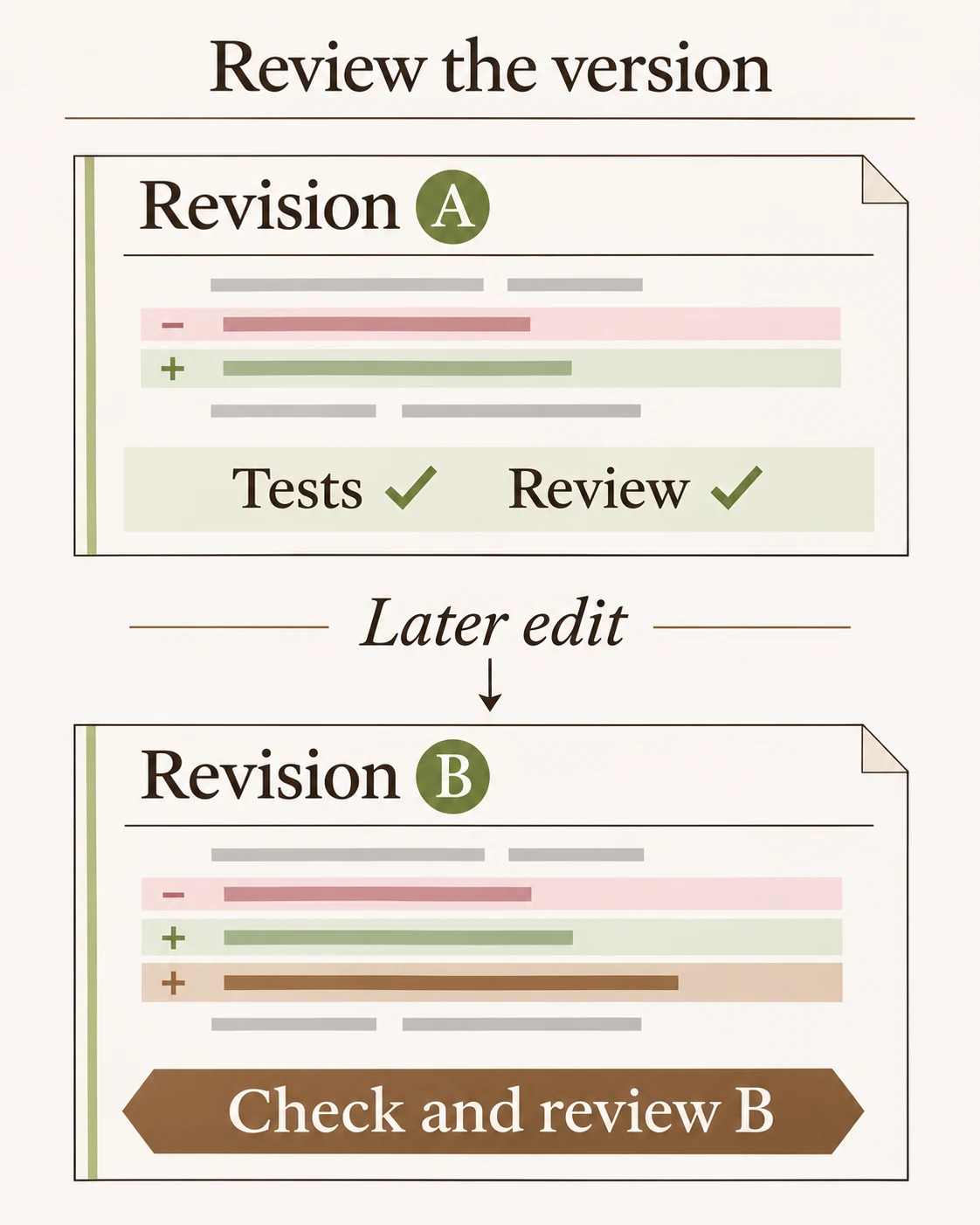
I record the source revision checked and publish the reviewed output manually. If an agent changes the build afterwards, the changed output needs checking again. An earlier result describes the earlier version.
After publication, I compare the local public text files with the files served by the website. That answers a different question. A correct build can be ready locally while the host still serves an older copy.
The file inventory has a limit too. A JavaScript file can have an approved name and still contain private information. Content review, credential scanning and browser checks each cover further parts of the release.
I describe how I choose which checks belong in a Definition of Done when a change needs several kinds of evidence.
A check to try on your next change
Choose one unwanted outcome the change must prevent. Prepare an input that should trigger it, run the check and inspect what actually happened. Keep the result with the version you checked.
The same approach could help with a data pipeline. Give it a sample with a required field missing, then inspect the published report as well as the job status. A failure message would not be enough if malformed data had already reached the report. This is a suggested application, rather than an incident from my work.
For this website, the useful evidence was straightforward. The same checker accepted the clean copy and rejected the copy containing an unapproved file.
About this note
Based on my personal website’s publishing checks. The rejection result came from a temporary copy containing a harmless fixture. The code is a simplified illustration with invented filenames.
Thanks for reading.
Share this note